Your MacBook Notch, now Quake Terminal
QuakeNotch 4.0 is here!
Latest Version: 4.0.1 ·
In this update, we have new terminal features, better QPilot Agent, improved Apple Music integration, and extreme optimization for the minimum resource usage.
Quake Terminal
QPilot AI Assistant
Apple Music Integration
Split Terminal Panes
CLI Progress Tracking
Special Effects
Many Cute Customizations
GPU-Accelerated & Optimized
Quake Terminal
QPilot AI Assistant
Apple Music Integration
Split Terminal Panes
CLI Progress Tracking
Special Effects
Many Cute Customizations
GPU-Accelerated & Optimized
Quake Terminal
QPilot AI Assistant
Apple Music Integration
Split Terminal Panes
CLI Progress Tracking
Special Effects
Many Cute Customizations
GPU-Accelerated & Optimized
Quake Terminal
QPilot AI Assistant
Apple Music Integration
Split Terminal Panes
CLI Progress Tracking
Special Effects
Many Cute Customizations
GPU-Accelerated & Optimized
Quake Terminal
QPilot AI Assistant
Apple Music Integration
Split Terminal Panes
CLI Progress Tracking
Special Effects
Many Cute Customizations
GPU-Accelerated & Optimized
Quake Terminal
QPilot AI Assistant
Apple Music Integration
Split Terminal Panes
CLI Progress Tracking
Special Effects
Many Cute Customizations
GPU-Accelerated & Optimized
Quake Terminal
QPilot AI Assistant
Apple Music Integration
Split Terminal Panes
CLI Progress Tracking
Special Effects
Many Cute Customizations
GPU-Accelerated & Optimized
Quake Terminal
QPilot AI Assistant
Apple Music Integration
Split Terminal Panes
CLI Progress Tracking
Special Effects
Many Cute Customizations
GPU-Accelerated & Optimized
Quake Terminal
QPilot AI Assistant
Apple Music Integration
Split Terminal Panes
CLI Progress Tracking
Special Effects
Many Cute Customizations
GPU-Accelerated & Optimized
The Mac Quake Terminal Emulator you've always waited for!
QuakeNotch 4.0 is more amazing and cute with amazing Quake Terminal with Agentic AI Assistance and your Apple Music library on your Mac's notch.
Terminal
Power at your fingertips

Access a full-featured terminal directly from your MacBook's notch. Execute commands, run scripts, and manage your system with lightning-fast access. The terminal slides down smoothly whenever you need it, keeping your workflow uninterrupted.
Full terminal functionality
Instant and robust access from notch
Multi-tab and pane splitting
Smooth animations
Optimized and polished by me (The Cat 🐈).
QPilot AI Agent

Your privacy-friendly local AI Agent integrated to your terminal
QPilot is your every-second AI Agent. I optimize and polish QPilot to be your easy-to-use, everyday local agent.
Single-click, seamless, and easy to use
Reach your local AI Agent lightning-fast, everywhere
Explore and install all the supported models
Zero configuration or tweaks
Optimized and polished by me (The Cat 🐈)
Customization
Make it yours

Customize every aspect of QuakeNotch to match your style and workflow. From themes and colors to keyboard shortcuts and behavior, create the perfect notch experience tailored just for you.
Apple Music oscillator with 6 themes
6 animated background effects
Custom keyboard shortcuts
Liquid Form dynamic notch for more fanciness
Liquid Glass UI things on macOS 26+
Music
Feel the rhythm

Transform your notch into your Apple Music companion. Expore your playlists and songs, play your favorite tracks, and let the music come alive with dynamic visualizations that sync perfectly with your tunes.
Cute oscillator with different themes
Your Apple Music library, playlists and songs
Access with ease and cute appearance

Unique Terminal Experience
QuakeNoch is unique see terminal progress!
Monitor the progress of your CLI commands right from the notch. QuakeNotch intelligently higlights to show real-time updates, progress bars, and output, keeping you informed without interrupting your workflow.
Real-time progress updates
Visual progress bars
Non-intrusive notifications
Need Help Getting Started?
QuakeNotch is a unique app with many features. To see how you can make the most out of it, check out our comprehensive user guide.
Learn how to utilize all of amazing features of QuakeNotch.
Buy QuakeNotch to make it even better for $14
You can download and try QuakeNotch for free. If you like it, please consider buying it to support the development and get a QuakeNotch Pro license.
QuakeNotch is sold on my Patreon; to buy multiple licenses, just create new Patreon accounts. Thank you.
... or install via Homebrew
$ brew install --cask quakenotchPurrfect for CLI lovers!
I want to remind these things...😊
I would make it a free app, if I didn't need your support. But I need to eat and drink to keep working on it. So please consider buying it if you like it! 🥰
QuakeNotch is sold on my Patreon page if you want to support me.
To buy multiple licenses, just create new Patreon accounts. Thank you.
You can also donate me on my Patreon page.
You can download it free from here.
When you buy QuakeNotch, I'll send you a license activation key to your email address; also a DM on Patreon.
Thank you so much for your support! 🥰
~ Cat 🐈
Frequently Asked Questions
macOS is not letting me use the app because of Music Automation Permission 🙀
When you start QuakeNotch first time, macOS will ask you to give Apple Music Automation permission to QuakeNotch.
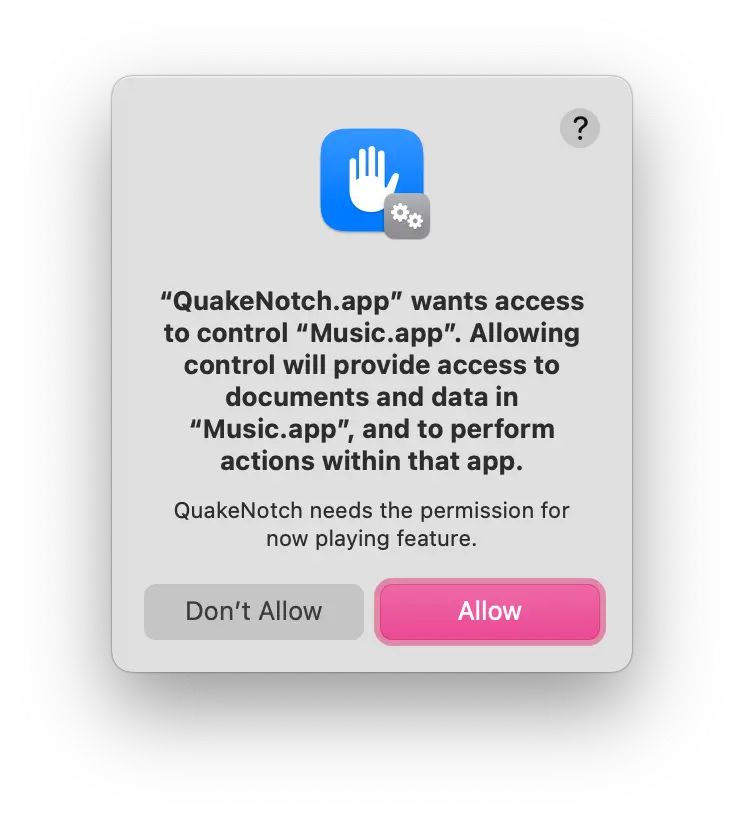
After enabling this too, restart QuakeNotch and you'll be able to use it without any issues.
If you accidentally denied the permission, you can enable it from System Preferences > Security & Privacy > Privacy > Automation > Apple Music > QuakeNotch. In this case, QuaoeNotch will guide you to give the permission.
QuakeNotch is frozen / not responding! What should I do? 😳
QuakeNotch has Apple Music integration and when Apple Music is frozen and not responding, QuakeNotch can freeze too.
QuakeNotch 3.0 includes a circuit breaker that automatically detects when Apple Music is unresponsive and stops making calls to it, so freezes are much rarer now. If it does happen, just quit QuakeNotch and Apple Music from the Dock or Force Quit them from Apple Menu > Force Quit.
After that, just start QuakeNotch again and it will work perfectly.
Also, if you have an app like NoTunes, please quit it too, because these apps can interfere with Apple Music and cause such issues.
Is the app stable enough? 🤔
Looks like yes; the app is stable enough. I'm always testing the app on different devices and macOS versions.
QuakeNotch 3.0 is the most stable version yet, with improved performance management and circuit breaker protections. If you encounter any issues, please let me know.
It's purrfect but, will you make more amazing features? 😍
Yes! I'm always working on new features and improvements. If you have any suggestions, feel free to contact me.
I love the app! How can I support you? ❤️
Thank you! You can support me by buying the app and also sharing it with your friends or commmunities.
You can also donate me any amount on my Patreon.
Support on Patreon
patreon.com/evrenselkisilik
Bitcoin
1A3NkkFEMFc2wq74GGRXdzrsEn42Ts1ajm
ETH, USDT/USDC (ERC20)
0xDDD5e5029F4d1CA54461abCF558Cb6dcAD6Df3CB
Monero
8A8HWvGp8d3Qf8Qn1ei97RXPJiQYodvBxLSaPbnLEKAZ2pjnAbmNLn59HNPKirrAmKTfNEfjbobdi33zV1CwDQ7qRLxiZvR
Troubleshooting and Support 🛠️
If you have a tweaker app like NoTunes or similar apps that control Apple Music, please quit them while using QuakeNotch. These apps can interfere with Apple Music and cause QuakeNotch to misbehave.
If the app is started to work weirdly, just restart it. Apple Scripts and events can sometimes cause issues, so restarting the app can help. There is no a known issue but if you encounter any issues, please let me know.
If it keeps asking for permission, close QuakeNotch, open Terminal app and enter this command:
sudo tccutil reset All MeowingCat.QuakeNotch
If you have any issues or questions, please feel free to contact me on my Patreon and also on my Discord Server
You can also donate me any amount on my Patreon.
Meet the team behind QuakeNotch
Yes, the team is only a cat 🐈. It is good to buy/donate QuakeNotch! 😍 When you buy, you'll be suppported me to make it better and better! 😍
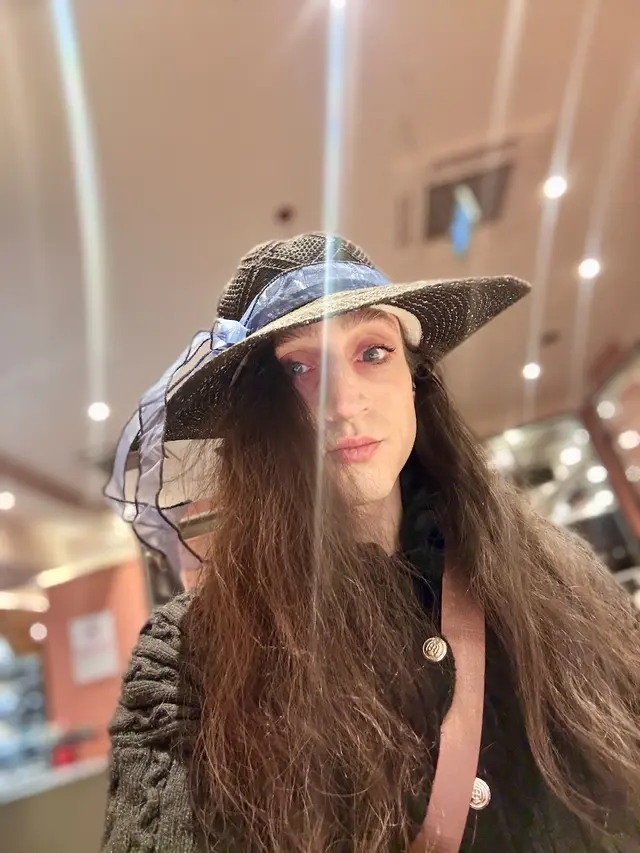
Meowing Cat
Meowing Cat is a cat who paws code. He is the creator of QuakeNotch.
Cat is also the creator of famous best Mac WM app MacsyZones, famous open source debugger GDBFrontend and recently React﹤Kitten﹥ a new fully React-ish programmable web Desktop Environment / Window Manager, truly customizable and feature-rich.